프로그램 4주차 2022/04/01~ 2022/04/10 리액트 심화 

과제 요구사항 
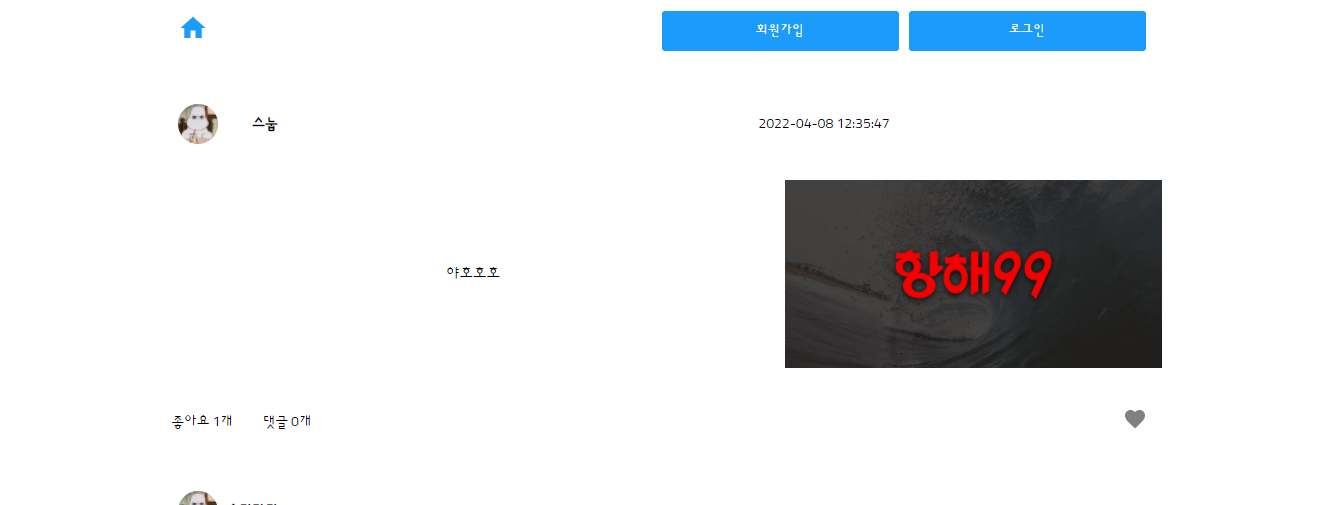
 

완성 된 화면

기능 목록

1. 게시글 (메인페이지)

  • 목록 가져오기
  • 추가하기 ( +이미지 업로드하기 )
  • 삭제하기
  • 수정하기

2. 회원가입하기

3. 로그인하기

4. 파이어베이스 or S3 배포


페이지별 상세 페이지

  1. 회원가입 페이지
    1. 이메일 형식 체크, 비밀번호 체크할 것
  2. 로그인 페이지
    1. 이메일, 패스워드 미기입 시 로그인 버튼 활성화 막을 것
  3. 메인 페이지(게시글 목록 페이지)
    1. 게시글 목록 노출
    2. 게시글 하나는 작성자, 작성 시간, 이미지 미리보기, 텍스트 내용으로 구성
    3. 게시글 하나를 클릭 시, 게시글 상세 페이지로 이동
  4. 글 작성 페이지
    1. 레이아웃 선택 버튼
      1. 3가지 레이아웃 중 선택하도록 한다.
        • 이미지가 오른편에, 텍스트는 왼편에 위치한 레이아웃
        • 이미지가 왼편에, 텍스트는 오른편에 위치한 레이아웃
        • 텍스트가 위에, 이미지는 아래에 위치한 레이아웃
      2. 레이아웃 선택 시, 게시글 레이아웃(모양새)대로 보이도록 한다.
      3. 텍스트, 이미지 중 입력 안된 게 있다면 게시글 작성 버튼 비활성화
      4. 작성 완료 시 메인 페이지로 이동
  5. 게시글 상세 페이지
    1. 게시글 레이아웃에 맞춰 이미지, 텍스트 위치 조절해서 노출

추가 기능

  • 메인 페이지 (게시글 목록 페이지)
    1. 무한 스크롤
    2. 좋아요 기능 : 게시글 중 좋아요버튼(분홍색 하트 버튼)을 누르면 [좋아요]를 +1한다. 다시 누르면 분홍색 하트가 회색 하트가 되고 좋아요가 -1개 된다.
  • 이미지 여러장 업로드 (상세 페이지에서는 슬라이더로 이미지 넘겨가며 보도록 처리)
  • 알림 기능 만들기 (+알림페이지도 추가할 것!)
  • 좋아요 눌렀을 때 게시글 위로 하트 이미지가 나타났다 사라지게 해보기

구현된 페이지와 기능들

라우터 시켜주는곳 App.js

내 코드 

더보기
import "./App.css";
import React from "react";
import { BrowserRouter, Route } from "react-router-dom";
import { ConnectedRouter } from "connected-react-router";
import { history } from "../redux/configureStore";


import PostList from "../pages/PostList";
import Login from "../pages/Login";
import Signup from "../pages/Signup";
import PostWrite from "../pages/PostWrite";
import PostDetail from "../pages/PostDetail";
import Search from "./Seach";
import Notification from "../pages/Notification";


import Header from "../components/Header";
import { Grid, Button } from "../elements";
import Permit from "./Permit";


import { useDispatch } from "react-redux";
import { actionCreators as userActions } from "../redux/modules/user";
import { apiKey } from "./firebase";
function App() {
  const dispatch = useDispatch();


  const _session_key = `firebase:authUser:${apiKey}:[DEFAULT]`;
  const is_session = sessionStorage.getItem(_session_key) ? true : false;


  React.useEffect(() => {
    if (is_session) {
      dispatch(userActions.loginCheckFB());
    }
  }, []);
  return (
    <React.Fragment>
      <Grid>
        <Header></Header>
        <ConnectedRouter history={history}>
          <Route path="/" exact component={PostList} />
          <Route path="/login" exact component={Login} />
          <Route path="/signup" exact component={Signup} />
          <Route path="/write" exact component={PostWrite} />
          <Route path="/write/:id" exact component={PostWrite} />
          <Route path="/post/:id" exact component={PostDetail} />
        </ConnectedRouter>
      </Grid>
      <Permit>
        <Button
          is_float
          text="+"
          _onClick={() => {
            history.push("/write");
          }}
        ></Button>
      </Permit>
    </React.Fragment>
  );
}


export default App;


파이어베이스 개인정보를 가지고있는  firebase.js

내 코드


더보기
import firebase from "firebase/app";
import "firebase/auth";
import "firebase/firestore";
import "firebase/storage";


const firebaseConfig = {
  apiKey: "AIzaSyAnppE5sKirkaMLNAiME_d1LgFwpvA3ff8",
  authDomain: "image-community-c8e53.firebaseapp.com",
  projectId: "image-community-c8e53",
  storageBucket: "image-community-c8e53.appspot.com",
  messagingSenderId: "248659772071",
  appId: "1:248659772071:web:65ff8fd5cb69eaa5df9182",
  measurementId: "G-E0SGXYMX81",
};


firebase.initializeApp(firebaseConfig);


const apiKey = firebaseConfig.apiKey;
const auth = firebase.auth();
const firestore = firebase.firestore();
const storage = firebase.storage();


export { auth, apiKey, firestore, storage };


1. 특정 Ffirebase를 식별해 해당기능에 접근하게도와주는  firebaseConfig.apiKey;

2. 회원가입과 로그인을 위한 인증에 관련된 firebase.auth()

3. 파이어 베이스에서 생성한 프로젝트를 사용하게 도와주는  firebase.firestore();

4. 파이어베이스용 사용자가 사진 및 동영상등의 콘텐츠를 저장하고 제공하게 도와주는  firebase.storage();


파이어베이스와 내 리듀서와 연결해주는 configStore.js

내 코드

더보기
import { createStore, combineReducers, applyMiddleware, compose } from "redux";
import thunk from "redux-thunk";
import { createBrowserHistory } from "history";
import { connectRouter } from "connected-react-router";


import User from "./modules/user";
import Post from "./modules/post";
import Image from "./modules/image";


export const history = createBrowserHistory();
 
const rootReducer = combineReducers({
  user: User,
  post: Post,
  image: Image,
  router: connectRouter(history),
});


const middlewares = [thunk.withExtraArgument({ history: history })];
 
const env = process.env.NODE_ENV;
 
if (env === "development") {
  const { logger } = require("redux-logger");
  middlewares.push(logger);
}
 
const composeEnhancers =
  typeof window === "object" && window.__REDUX_DEVTOOLS_EXTENSION_COMPOSE__
    ? window.__REDUX_DEVTOOLS_EXTENSION_COMPOSE__({
 
      })
    : compose;
const enhancer = composeEnhancers(applyMiddleware(...middlewares)); 
 
let store = (initialStore) => createStore(rootReducer, enhancer);


export default store();


1. 리듀서를 3개 묶엇 사용하도록 도와주는 rootReducer 

2.  thunk 함수내에 라우터를 사용하기 위하여 미들웨어로 구성한 middlewares 

withExtraArgument 다른인수를 넘겨주는 청크의 내장함수

3.  어느 개발환경인지를 알려주는  env 

4. 개발환경이 맞는지 맞으면 어떻게 쓸건지 등을 정하는  if (env === "development") 

5.  자바스크립튼 V8 엔진이 돌아가기만 하면 브라우가 아니어도 돌아가는데 브라우저가 아닐때면 윈도우라는 객체가 아님 그래서 브라우저 일떄만 돌려주라고 적용하는   typeof window === "object"


적용된 리듀서와 CURD 가 있는 post.js

내 코드

더보기
import { createAction, handleActions } from "redux-actions";
import { produce } from "immer";
import { firestore, storage } from "../../shared/firebase";
import "moment";
import moment from "moment";


import { actionCreators as imageActions } from "./image";


const SET_POST = "SET_POST";
const ADD_POST = "ADD_POST";
const EDIT_POST = "EDIT_POST";
const DELETE_POST = "DELETE_POST";
const LOADING = "LOADING";


const setPost = createAction(SET_POST, (post_list, paging) => ({
  post_list,
  paging,
}));
const addPost = createAction(ADD_POST, (post) => ({ post }));
const editPost = createAction(EDIT_POST, (post_id, post) => ({
  post_id,
  post,
}));


const deletePost = createAction(DELETE_POST, (post_id) => ({ post_id }));
const loading = createAction(LOADING, (is_loading) => ({ is_loading }));


const initialState = {
  list: [],
  paging: { start: null, next: null, size: 3 },
  is_loading: false,
};


const initialPost = {
  // id: 0,
  // user_info: {
  //   user_name: "mean0",
  // },
  contents: "",
  comment_cnt: 0,
  insert_dt: moment().format("YYYY-MM-DD hh:mm:ss"),
};


const editPostFB = (post_id = null, post = {}) => {
  return function (dispatch, getState, { history }) {
    if (!post_id) {
      console.log("게시물 정보가 없어요!");
      return;
    }


    const _image = getState().image.preview;


    const _post_idx = getState().post.list.findIndex((p) => p.id === post_id);
    const _post = getState().post.list[_post_idx];


    const postDB = firestore.collection("post");


    if (_image === _post.image_url) {
      postDB
        .doc(post_id)
        .update(post)
        .then((doc) => {
          dispatch(editPost(post_id, { ...post }));
          history.replace("/");
        });


      return;
    } else {
      const user_id = getState().user.user.uid;
      const _upload = storage
        .ref(`images/${user_id}_${new Date().getTime()}`)
        .putString(_image, "data_url");


      _upload.then((snapshot) => {
        snapshot.ref
          .getDownloadURL()
          .then((url) => {
            console.log(url);


            return url;
          })
          .then((url) => {
            postDB
              .doc(post_id)
              .update({ ...post, image_url: url })
              .then((doc) => {
                dispatch(editPost(post_id, { ...post, image_url: url }));
                history.replace("/");
              });
          })
          .catch((err) => {
            window.alert("앗! 이미지 업로드에 문제가 있어요!");
            console.log("앗! 이미지 업로드에 문제가 있어요!", err);
          });
      });
    }
  };
};


const addPostFB = (postObj = { contents: "", previewType: "" }) => {
  return function (dispatch, getState, { history }) {
    const postDB = firestore.collection("post");


    const _user = getState().user.user;


    const user_info = {
      user_name: _user.user_name,
      user_id: _user.uid,
      user_profile: _user.user_profile,
    };


    const _post = {
      ...initialPost,
      contents: postObj.contents,
      previewType: postObj.previewType,
      insert_dt: moment().format("YYYY-MM-DD hh:mm:ss"),
    };


    const _image = getState().image.preview;


    const _upload = storage
      .ref(`images/${user_info.user_id}_${new Date().getTime()}`)
      .putString(_image, "data_url");


    _upload.then((snapshot) => {
      snapshot.ref
        .getDownloadURL()
        .then((url) => {
          return url;
        })
        .then((url) => {
          postDB
            .add({ ...user_info, ..._post, image_url: url })
            .then((doc) => {
              let post = { user_info, ..._post, id: doc.id, image_url: url };
              dispatch(addPost(post));
              history.replace("/");


              dispatch(imageActions.setPreview(null));
            })
            .catch((err) => {
              window.alert("앗! 포스트 작성에 문제가 있어요!");
              console.log("post 작성에 실패했어요!", err);
            });
        })
        .catch((err) => {
          window.alert("앗! 이미지 업로드에 문제가 있어요!");
          console.log("앗! 이미지 업로드에 문제가 있어요!", err);
        });
    });
  };
};


const getPostFB = (start = null, size = 3) => {
  return function (dispatch, getState, { history }) {
    let _paging = getState().post.paging;


    if (_paging.start && !_paging.next) {
      return;
    }
    dispatch(loading(true));
    const postDB = firestore.collection("post");


    let query = postDB.orderBy("insert_dt", "desc");


    if (start) {
      query = query.startAt(start);
    }


    query
      .limit(size + 1)
      .get()
      .then((docs) => {
        let post_list = [];


        let paging = {
          start: docs.docs[0],
          next:
            docs.docs.length === size + 1
              ? docs.docs[docs.docs.length - 1]
              : null,
          size: size,
        };


        docs.forEach((doc) => {
          let _post = doc.data();


          let post = Object.keys(_post).reduce(
            (acc, cur) => {
              if (cur.indexOf("user_") !== -1) {
                return {
                  ...acc,
                  user_info: { ...acc.user_info, [cur]: _post[cur] },
                };
              }
              return { ...acc, [cur]: _post[cur] };
            },
            { id: doc.id, user_info: {} }
          );


          post_list.push(post);
        });


        post_list.pop();


        dispatch(setPost(post_list, paging));
      });


    return;
    postDB.get().then((docs) => {
      let post_list = [];
      docs.forEach((doc) => {
        let _post = doc.data();


        // ['commenct_cnt', 'contents', ..]
        let post = Object.keys(_post).reduce(
          (acc, cur) => {
            if (cur.indexOf("user_") !== -1) {
              return {
                ...acc,
                user_info: { ...acc.user_info, [cur]: _post[cur] },
              };
            }
            return { ...acc, [cur]: _post[cur] };
          },
          { id: doc.id, user_info: {} }
        );


        post_list.push(post);
      });


      dispatch(setPost(post_list));
    });
  };
};


const deletePostFB = (post_id = null) => {
  return function (dispatch, getState, { history }) {
    if (!post_id) {
      window.alert("게시물이 없음!");
      return;
    }
    const postDB = firestore.collection("post");


    postDB
      .doc(post_id)
      .delete()
      .then((doc) => {
        dispatch(deletePost(post_id));
        history.replace("/");
      })
      .catch((error) => {
        window.alert("아 게시물 삭제에 문제가 있어요");
        console.log("앗! 게시물 삭제에 문제가있어요!", error);
      });
  };
};


export default handleActions(
  {
    [SET_POST]: (state, action) =>
      produce(state, (draft) => {
        draft.list.push(...action.payload.post_list);
        draft.paging = action.payload.paging;
        draft.is_loading = false;
      }),


    [ADD_POST]: (state, action) =>
      produce(state, (draft) => {
        draft.list.unshift(action.payload.post);
      }),
    [EDIT_POST]: (state, action) =>
      produce(state, (draft) => {
        let idx = draft.list.findIndex((p) => p.id === action.payload.post_id);


        draft.list[idx] = { ...draft.list[idx], ...action.payload.post };
      }),
    [DELETE_POST]: (state, action) =>
      produce(state, (draft) => {
        draft.list = draft.list.filter((a) => a.id !== action.payload.post_id);
      }),
    [LOADING]: (state, action) =>
      produce(state, (draft) => {
        draft.is_loading = action.payload.is_loading;
      }),
  },
  initialState
);


const actionCreators = {
  setPost,
  addPost,
  editPost,
  getPostFB,
  addPostFB,
  editPostFB,
  deletePostFB,
};


export { actionCreators };

적용된 리듀서와 CURD 가 있는 image.js

내 코드

더보기
import { createAction, handleActions } from "redux-actions";
import produce from "immer";


import { storage } from "../../shared/firebase";


const UPLOADING = "UPLOADING";
const UPLOAD_IMAGE = "UPLOAD_IMAGE";
const SET_PREVIEW = "SET_PREVIEW";
const DELETE_PREVIEW = "DELETE_PREVIEW";


const uploading = createAction(UPLOADING, (uploading) => ({ uploading }));
const uploadImage = createAction(UPLOAD_IMAGE, (image_url) => ({ image_url }));
const setPreview = createAction(SET_PREVIEW, (preview) => ({ preview }));
const deletePreview = createAction(DELETE_PREVIEW, () => {});


const initialState = {
  image_url: "",
  uploading: false,
  preview: null,
};


const uploadImageFB = (image) => {
  return function (dispatch, getState, { history }) {
    dispatch(uploading(true));


    const _upload = storage.ref(`images/${image.name}`).put(image);


    _upload.then((snapshot) => {
      snapshot.ref.getDownloadURL().then((url) => {
        dispatch(uploadImage(url));
      });
    });
  };
};


export default handleActions(
  {
    [UPLOAD_IMAGE]: (state, action) =>
      produce(state, (draft) => {
        draft.image_url = action.payload.image_url;
        draft.uploading = false;
      }),
    [UPLOADING]: (state, action) =>
      produce(state, (draft) => {
        draft.uploading = action.payload.uploading;
      }),
    [SET_PREVIEW]: (state, action) =>
      produce(state, (draft) => {
        draft.preview = action.payload.preview;
      }),
    [DELETE_PREVIEW]: (state, action) =>
      produce(state, (draft) => {
        draft.preview = null;
      }),
  },
  initialState
);


const actionCreators = {
  uploadImage,
  uploadImageFB,
  setPreview,
  deletePreview,
};


export { actionCreators };

적용된 리듀서와 CURD 가 있는 user.js

내 코드

더보기
import { createAction, handleActions } from "redux-actions";
import { produce } from "immer";
import { setCookie, getCookie, deleteCookie } from "../../shared/Cookie";
import { auth } from "../../shared/firebase";
import firebase from "firebase/app";
//action
const LOG_OUT = "LOG_OUT";
const GET_USER = "GET_USER";
const SET_USER = "SET_USER";


//action creators


const logOut = createAction(LOG_OUT, (user) => ({ user }));
const getUser = createAction(GET_USER, (user) => ({ user }));
const setUser = createAction(SET_USER, (user) => ({ user }));
 
const initialState = {
  user: null,
  is_login: false,
};


const user_initial = {
  user_name: "mango",
};


// middleware actions
const loginFB = (id, pwd) => {
  return function (dispatch, getState, { history }) {
    auth.setPersistence(firebase.auth.Auth.Persistence.SESSION).then((res) => {
      auth
        .signInWithEmailAndPassword(id, pwd)
        .then((user) => {
          dispatch(
            setUser({
              user_name: user.user.displayName,
              id: id,
              user_profile: "",
              uid: user.user.uid,
            })
          );
          history.push("/");
        })
        .catch((error) => {
          var errorCode = error.code;
          var errorMessage = error.message;
        });
    });
  };
};


const signupFB = (id, pwd, user_name) => {
  return function (dispatch, getState, { history }) {
    auth
      .createUserWithEmailAndPassword(id, pwd)
      .then((user) => {
        // Signed in
        // ...


        auth.currentUser
          .updateProfile({
            displayName: user_name,
          })
          .then(() => {
            dispatch(
              setUser({
                user_name: user_name,
                id: id,
                user_profile: "",
                uid: user.user.uid,
              })
            );
            history.push("/");
          })
          .catch((error) => {});
      })
      .catch((error) => {
        const errorCode = error.code;
        const errorMessage = error.message;
        // ..
        console.log(errorCode, errorMessage);
      });
  };
};


const loginCheckFB = () => {
  return function (dispatch, getState, { history }) {
    auth.onAuthStateChanged((user) => {
      if (user) {
        dispatch(
          setUser({
            user_name: user.displayName,
            user_profile: "",
            id: user.email,
            uid: user.uid,
          })
        );
      } else {
        dispatch(logOut());
      }
    });
  };
};


const logoutFB = () => {
  return function (dispatch, getState, { history }) {
    auth.signOut().then(() => {
      dispatch(logOut());
      history.replace("/");
    });
  };
};


//reducer
export default handleActions(
  {
    [SET_USER]: (state, action) =>
      produce(state, (draft) => {
        setCookie("is_login", "success");
        draft.user = action.payload.user;
        draft.is_login = true;
      }), //produce 사용설명 밑에 달음
    [LOG_OUT]: (state, action) =>
      produce(state, (draft) => {
        deleteCookie("is_login");
        draft.user = null;
        draft.is_login = false;
      }),
    [GET_USER]: (state, action) => produce(state, (draft) => {}),
  },
  initialState
);
const actionCreators = {
  logOut,
  getUser,
  signupFB,
  loginFB,
  loginCheckFB,
  logoutFB,
};


export { actionCreators };
 

파이어베이스에 연결되어있는 모든 데이터를 불러오는  메인페이지 PostList.js

내 코드

더보기
// PostList.js
import React from "react";
import { useSelector, useDispatch } from "react-redux";
import { Grid } from "../elements";


import Post from "../components/Post";
import { actionCreators as postActions } from "../redux/modules/post";
import InfinityScroll from "../shared/infinityScroll";


const PostList = (props) => {
  const dispatch = useDispatch();
  const post_list = useSelector((state) => state.post.list);
  console.log(post_list);
  const user_info = useSelector((state) => state.user.user);
  const is_loading = useSelector((state) => state.post.is_loading);
  const paging = useSelector((state) => state.post.paging);
  const { history } = props;


  React.useEffect(() => {
    if (post_list.length === 0) {
      dispatch(postActions.getPostFB());
    }
  }, []);


  return (
    <React.Fragment>
      <Grid bg={"#EFF6FF"} padding="20px 0px">
        <InfinityScroll
          callNext={() => {
            dispatch(postActions.getPostFB(paging.next));
          }}
          is_next={paging.next ? true : false}
          loading={is_loading}
        >
          {post_list.map((p, idx) => {
            const isMe = p.user_info.user_id === user_info?.uid;
            if (p.previewType === "type1") {
              return (
                <Grid
                  bg={isMe ? "#ffffff" : undefined}
                  margin={isMe ? "8px 0px" : undefined}
                  key={p.id}
                  _onClick={() => {
                    history.push(`/post/${p.id}`);
                  }}
                >
                  <Post {...p} is_me={isMe} />
                </Grid>
              );
            }
            if (p.previewType === "type2") {
              return (
                <Grid
                  bg={isMe ? "#ffffff" : undefined}
                  margin={isMe ? "8px 0px" : undefined}
                  key={p.id}
                  _onClick={() => {
                    history.push(`/post/${p.id}`);
                  }}
                >
                  <Post {...p} is_me={isMe} />
                </Grid>
              );
            }
            return (
              <Grid
                bg={isMe ? "#ffffff" : undefined}
                margin={isMe ? "8px 0px" : undefined}
                key={p.id}
                _onClick={() => {
                  history.push(`/post/${p.id}`);
                }}
              >
                <Post {...p} is_me={isMe} />
              </Grid>
            );
          })}
        </InfinityScroll>
      </Grid>
    </React.Fragment>
  );
};


export default PostList;


파이어베이스에 저장되어있는 로그인 정보를 비교하여 해당 아이디로 접속하게 도와주는  로그인페이지  Login.js

내 코드


더보기
import React from "react";
import { Text, Input, Grid, Button } from "../elements";
import { getCookie, setCookie, deleteCookie } from "../shared/Cookie";


import { useDispatch } from "react-redux";
import { actionCreators as userActions } from "../redux/modules/user";
import { emailCheck } from "../shared/common";


const Login = (props) => {
  const dispatch = useDispatch();


  const [id, setId] = React.useState("");
  const [pwd, setPwd] = React.useState("");


  const login = () => {
    if (id === "" || pwd === "") {
      window.alert("아이디 혹은 비밀번호가 공란입니다! 입력해주세요!");
      return;
    }


    if (!emailCheck(id)) {
      window.alert("이메일 형식이 맞지 않습니다!");
      return;
    }


    dispatch(userActions.loginFB(id, pwd));
  };


  return (
    <React.Fragment>
      <Grid padding="16px">
        <Text size="32px" bold>
          로그인
        </Text>


        <Grid padding="16px 0px">
          <Input
            label="아이디"
            placeholder="아이디를 입력해주세요."
            _onChange={(e) => {
              setId(e.target.value);
            }}
          />
        </Grid>


        <Grid padding="16px 0px">
          <Input
            label="패스워드"
            placeholder="패스워드 입력해주세요."
            type="password"
            _onChange={(e) => {
              setPwd(e.target.value);
            }}
          />
        </Grid>


        <Button
          text="로그인하기"
          _onClick={() => {
            console.log("로그인 했어!");
            login();
          }}
        ></Button>
      </Grid>
    </React.Fragment>
  );
};


export default Login;


신규사용자가 로그인하여  게시물을 작성하기위해 사용자의 정보값을 파이어 베이스로 넘겨주는  회원가입페이지 :  Signup.js

내 코드

더보기
import React from "react";
import { Grid, Text, Input, Button } from "../elements";


import { useDispatch } from "react-redux";
import { actionCreators as userActions } from "../redux/modules/user";
import { emailCheck } from "../shared/common";


const Signup = (props) => {
  const dispatch = useDispatch();


  const [id, setId] = React.useState("");
  const [pwd, setPwd] = React.useState("");
  const [pwd_check, setPwdCheck] = React.useState("");
  const [user_name, setUserName] = React.useState("");


  const signup = () => {
    if (id === "" || pwd === "" || user_name === "") {
      window.alert("아이디, 패스워드, 닉네임을 모두 입력해주세요!");
      return;
    }


    if (!emailCheck(id)) {
      window.alert("이메일 형식이 맞지 않습니다!");
      return;
    }


    if (pwd !== pwd_check) {
      window.alert("패스워드와 패스워드 확인이 일치하지 않습니다!");
      return;
    }


    dispatch(userActions.signupFB(id, pwd, user_name));
  };
  return (
    <React.Fragment>
      <Grid padding="16px">
        <Text size="32px" bold>
          회원가입
        </Text>


        <Grid padding="16px 0px">
          <Input
            label="아이디"
            placeholder="아이디를 입력해주세요."
            _onChange={(e) => {
              setId(e.target.value);
            }}
          />
        </Grid>


        <Grid padding="16px 0px">
          <Input
            label="닉네임"
            placeholder="닉네임을 입력해주세요."
            _onChange={(e) => {
              setUserName(e.target.value);
            }}
          />
        </Grid>


        <Grid padding="16px 0px">
          <Input
            label="비밀번호"
            placeholder="비밀번호를 입력해주세요."
            _onChange={(e) => {
              setPwd(e.target.value);
            }}
          />
        </Grid>


        <Grid padding="16px 0px">
          <Input
            label="비밀번호 확인"
            placeholder="비밀번호를 다시 입력해주세요."
            _onChange={(e) => {
              setPwdCheck(e.target.value);
            }}
          />
        </Grid>


        <Button text="회원가입하기" _onClick={signup}></Button>
      </Grid>
    </React.Fragment>
  );
};


Signup.defaultProps = {};


export default Signup;


파이어베이스에서 받아온 로그인 정보에 내용을  작성 및 업로드 와 작성된 내용과 사진을 수정을 같이하는  작성페이지  PostWrite.js

내 코드

더보기
import React from "react";
import { Grid, Text, Button, Image, Input } from "../elements";
import Upload from "../shared/Upload";


import { useSelector, useDispatch } from "react-redux";
import { actionCreators as postActions } from "../redux/modules/post";
import { actionCreators as imageActions } from "../redux/modules/image";


const PostWrite = (props) => {
  const dispatch = useDispatch();
  console.log(props);
  const is_login = useSelector((state) => state.user.is_login);
  const preview = useSelector((state) => state.image.preview);
  const post_list = useSelector((state) => state.post.list);


  const post_id = props.match.params.id;
  const is_edit = post_id ? true : false;


  const { history } = props;


  let _post = is_edit ? post_list.find((p) => p.id === post_id) : null;
  console.log(_post);
  const [contents, setContents] = React.useState(_post ? _post.contents : "");
  const [previewType, setPreviewType] = React.useState("");


  React.useEffect(() => {
    if (is_edit && !_post) {
      console.log("포스트 정보가 없어요!");
      history.goBack();


      return;
    }


    if (is_edit) {
      dispatch(imageActions.setPreview(_post.image_url));
    }
  }, []);


  const changeContents = (e) => {
    setContents(e.target.value);
  };


  const addPost = () => {
    dispatch(
      postActions.addPostFB({ contents: contents, previewType: previewType })
    );
  };


  const editPost = () => {
    dispatch(postActions.editPostFB(post_id, { contents: contents }));
  };


  if (!is_login) {
    return (
      <Grid margin="100px 0px" padding="16px" center>
        <Text size="32px" bold>
          앗! 잠깐!
        </Text>
        <Text size="16px">로그인 후에만 글을 쓸 수 있어요!</Text>
        <Button
          _onClick={() => {
            history.replace("/");
          }}
        >
          로그인 하러가기
        </Button>
      </Grid>
    );
  }


  return (
    <React.Fragment>
      <Grid padding="16px">
        <Text margin="0px" size="36px" bold>
          {is_edit ? "게시글 수정" : "게시글 작성"}
        </Text>
        <Upload />
      </Grid>
      <input
        type={"checkbox"}
        onClick={() => {
          setPreviewType("type1");
        }}
      />
      <Grid is_flex_L>
        <Grid padding="16px">
          <Text margin="0px" size="36px" bold>
            {is_edit ? "게시글 수정" : "게시글 작성"}
          </Text>
        </Grid>


        <Image
          shape="rectangle"
          src={preview ? preview : "http://via.placeholder.com/400x300"}
        />
      </Grid>


      <input
        type={"checkbox"}
        onClick={() => {
          setPreviewType("type2");
        }}
      />
      <Grid is_flex_R>
        <Grid padding="16px">
          <Text margin="0px" size="36px" bold>
            {is_edit ? "게시글 수정" : "게시글 작성"}
          </Text>
        </Grid>


        <Image
          shape="rectangle"
          src={preview ? preview : "http://via.placeholder.com/400x300"}
        />
      </Grid>


      <input
        type={"checkbox"}
        onClick={() => {
          setPreviewType("type3");
        }}
      />
      <Grid>
        <Grid padding="16px">
          <Text margin="0px" size="24px" bold>
            미리보기
          </Text>
        </Grid>


        <Image
          shape="rectangle"
          src={preview ? preview : "http://via.placeholder.com/400x300"}
        />
      </Grid>


      <Grid padding="16px">
        <Input
          value={contents}
          _onChange={changeContents}
          label="게시글 내용"
          placeholder="게시글 작성"
          multiLine
        />
      </Grid>


      <Grid padding="16px">
        {is_edit ? (
          <Button text="게시글 수정" _onClick={editPost}></Button>
        ) : (
          <Button text="게시글 작성" _onClick={addPost}></Button>
        )}
      </Grid>
    </React.Fragment>
  );
};


export default PostWrite;


파이어베이스에 저장된 아이디와 사용자가 클릭한 아이디를 같은 정보를 표현해주는 상세페이지  PostDelete.js

내 코드

더보기
import React from "react";
import Post from "../components/Post";
import CommentList from "../components/CommentList";
import CommentWrite from "../components/CommentWrite";
import { useSelector } from "react-redux";
import { firestore } from "../shared/firebase";


const PostDetail = (props) => {
  const id = props.match.params.id; //클릭한 아이디값 가져오기
  console.log(id);
  const user_info = useSelector((state) => state.user.user);
  const post_list = useSelector((store) => store.post.list);
  const post_idx = post_list.findIndex((p) => p.id === id);
  const post_data = post_list[post_idx];


  const [post, setPost] = React.useState(post_data ? post_data : null);


  React.useEffect(() => {
    if (post) {
      return;
    }
    const postDB = firestore.collection("post");
    postDB
      .doc(id)
      .get()
      .then((doc) => {
        console.log(doc);
        console.log(doc.data());


        let _post = doc.data();


        let post = Object.keys(_post).reduce(
          (acc, cur) => {
            if (cur.indexOf("user_") !== -1) {
              return {
                ...acc,
                user_info: { ...acc.user_info, [cur]: _post[cur] },
              };
            }
            return { ...acc, [cur]: _post[cur] };
          },
          { id: doc.id, user_info: {} }
        );


        setPost(post);
      });
  }, []);


  console.log(post);
  return (
    <React.Fragment>
      {post && (
        <Post {...post} is_me={post.user_info.user_id === user_info.uid} />
      )}
      <CommentWrite />
      <CommentList />
    </React.Fragment>
  );
};


export default PostDetail;


사용자의 정보를 브라우저에서 가지고있게 도와주는 Cookie.js

내 코드

더보기
const getCookie = (name) => {
  let value = "; " + document.cookie;


  let parts = value.split(`; ${name}=`); // [aa=xx ; user_id =aaa; user_pwd=ssss;]  이 상태라면 [aa=xx] 와 [user_id =aaa ;] 2개로 짤라짐
  // 위 상태는 [aa=xx ; user_id =aaa; abbb=ssss;] 여기에서 세미클론뒤에 붙은 use_id 를 가져오는 줄이며
  //값은 [aaa; abbb=ssss;]  이다
  // 만약 let b = part.pop() 일경우 b의 값은 [aaa; abbb=ssss;] 이다
  if (parts.length === 2) {
    return parts.pop().split(";").shift();


    // pop 은 배열의 마지막 요소를 떼어오는것으로 현재 상태는 aaa; abbb=ssss;
    // split을 사용해서 ; 을 사용해준다면 aaa 와 abbb=ssss로 나뉨
    //shift 는 맨 첫번째 것을 떼어오는것으로 aaa의 값을 가져올수있음
  }
};


const setCookie = (name, value, exp = 5) => {
  let date = new Date(); //날짜 만드는곳
  date.setTime(date.getTime() + exp * 24 * 60 * 60 * 1000); //만료일날짜 만드는 라인 (저장)* 24(시간)*60(분)*60(초)*1000(밀리초)
  document.cookie = `${name}=${value}; expires=${date.toUTCString()}`; //이름, 입력값 , 만료일
};


const deleteCookie = (name) => {
  let date = new Date("2020-01-01").toUTCString();


  console.log(date);
  document.cookie = name + "=; expires=" + date;
};


export { getCookie, setCookie, deleteCookie };


무한 스크롤을 도와주는 infinityScroll.js

내 코드

더보기
import React from "react";
import _ from "lodash";
import { Spinner } from "../elements";


const InfinityScroll = (props) => {
  const { children, callNext, is_next, loading } = props;


  const _hadleScroll = _.throttle(() => {
    if (loading) {
      return;
    }
    const { innerHeight } = window;
    const { scrollHeight } = document.body;


    const scrollTop =
      (document.documentElement && document.documentElement.scrollTop) ||
      document.body.scrollTop;


    if (scrollHeight - innerHeight - scrollTop < 200) {
      callNext();
    }
  }, 300);


  const handleScroll = React.useCallback(_hadleScroll, [loading]);


  React.useEffect(() => {
    if (loading) {
      return;
    }
    if (is_next) {
      window.addEventListener("scroll", handleScroll);
    } else {
      window.removeEventListener("scroll", handleScroll);
    }


    return () => window.removeEventListener("scroll", handleScroll);
  }, [is_next, loading]);
  return (
    <React.Fragment>
      {props.children}
      {is_next && <Spinner />}
    </React.Fragment>
  );
};


InfinityScroll.defaultProps = {
  children: null,
  callNext: () => {},
  is_next: false,
  loading: false,
};


export default InfinityScroll;


이미지 업로드와 관련된 Upload.js

내 코드

더보기
import React from "react";
import { Button } from "../elements";
import { storage } from "./firebase";
import { useDispatch, useSelector } from "react-redux";
import { uploadImageFB } from "../redux/modules/image";
import { actionCreators as imageActions } from "../redux/modules/image";


const Upload = (props) => {
  const fileInput = React.useRef();
  console.log(fileInput);
  const is_uploading = useSelector((state) => state.image.uploading);
  console.log(is_uploading);
  const dispatch = useDispatch();
  const selectFile = (e) => {
    const reader = new FileReader();
    const file = fileInput.current.files[0];


    reader.readAsDataURL(file);


    reader.onloadend = () => {
      dispatch(imageActions.setPreview(reader.result));
    };
  };


  const uploadFB = () => {
    let image = fileInput.current.files[0];
    dispatch(imageActions.uploadImageFB(image));
  };
  return (
    <React.Fragment>
      <input
        type="file"
        onChange={selectFile}
        ref={fileInput}
        disabled={is_uploading}
      />
      <Button _onClick={uploadFB}>업로드하기</Button>
    </React.Fragment>
  );
};


export default Upload;


로그인이 유무를  비교하여 상태를 상단에 보여주는 메뉴바  Header.js

내 코드

더보기
import React from "react";
import { Button, Grid, Text } from "../elements";
import { getCookie, deleteCookie } from "../shared/Cookie";
import { useSelector, useDispatch } from "react-redux";
import { actionCreators as userActions } from "../redux/modules/user";
import { history } from "../redux/configureStore";
import { apiKey } from "../shared/firebase";


const Header = (props) => {
  const dispatch = useDispatch();
  const is_login = useSelector((state) => state.user.is_login);


  const _session_key = `firebase:authUser:${apiKey}:[DEFAULT]`;


  const is_session = sessionStorage.getItem(_session_key) ? true : false;


  if (is_login && is_session) {
    return (
      <React.Fragment>
        <Grid is_flex padding="4px 16px">
          <Grid>
            <Text margin="0px" size="24px" bold>
              헬로
            </Text>
          </Grid>
          <Grid is_flex>
            <Button text="내정보"></Button>
            <Button
              _onClick={() => {
                history.push("/noti");
              }}
              text="알림"
            ></Button>
            <Button
              text="로그아웃"
              _onClick={() => {
                dispatch(userActions.logoutFB());
              }}
            ></Button>
          </Grid>
        </Grid>
      </React.Fragment>
    );
  }


  return (
    <React.Fragment>
      <Grid is_flex padding="4px 16px">
        <Grid>
          <Text margin="0px" size="24px" bold>
            헬로
          </Text>
        </Grid>
        <Grid is_flex>
          <Button
            text="로그인"
            _onClick={() => {
              history.push("/login");
            }}
          ></Button>
          <Button
            text="회원가입"
            _onClick={() => {
              history.push("/signup");
            }}
          ></Button>
        </Grid>
      </Grid>
    </React.Fragment>
  );
};


Header.defaultProps = {};


export default Header;


나의 생각

리덕스를 사용해서 로그인과 이미지 게시글등을 만들어보는 숙련주차였습니다

컴포넌트를 여러개 나눠 작업하는 방법을 배우는 한주였고 공부가 많이 필요하다는 생각이 다시한번 느끼게 되는 한주였습니다 

컴포넌트를 잘게 쪼개 사용하고 만들어 보려는 기능을 어디서부터 시작해야하는지에대해 많이 공부하고 적용해봐야겠습니다


이 기간중 배운것


1. 컴포넌트 여러개 쪼개 간편하게 사용하기

2. 이미지 업로드하는법

3. 여러가지의 리듀서 사용하여 관리하는법

4. 라이브러리 사용해서 리듀서 작성밥법


앞으로의 필요한 점


1. 다른 방식 코드의 사용법

2. 자바스크립트 함수 사용법

3. 코드를 간결하게 정리하는 법

4. redux 활용법

5. db를 활용하여 데이터를 주고받는 방법들에 대한 사용법

6. 리액트의 기능들

7. 발표력 향상

8. 컴포넌트 여러개 쪼개서 간편하게 사용하기

9. 로그인관련 작동방법 공부하기

10.  필요한 기능들의 로직


2022/04/08~ 2022/04/10  ( 미니프로젝트  )

깃허브 주소


https://github.com/insidelamp/React_Study/tree/main/homework-react-3nd%20week


GitHub - insidelamp/React_Study

Contribute to insidelamp/React_Study development by creating an account on GitHub.

github.com


2022/04/03~ 2022/04/03 ( 4주 차 회고 ) 

항해를 시작하고 5주차가 지나고 작성하는 회고입니다

새로운걸 계속 배우고 습득해야하고 기능들을 사용법에 대해 반복 학습을 하고있습니다

따라 작성한 코드들을 가지고 내 코드로 소화해서 응용할수있는  지점까지 더욱 노력해야할것같습니다

하나의 방식만으로 생가하지말고 여러가지 방식으로도 사용이 가능하면 좋겠습니다


What I Learned


이번 WIL 키워드

Axios


  • Axios는 브라우저, Node.js를 위한 Promise API를 활용하는 HTTP 비동기 통신 라이브러리입니다.

특징 


  • 운영 환경에 따라 브라우저의 XMLHttpRequest 객체 또는 Node.js의 http api 사용
  • Promise(ES6) API 사용
  • 요청과 응답 데이터의 변형
  • HTTP 요청 취소 
  • HTTP 요청과 응답을 JSON형태로 자동 변경


'프로그램 시작후 각 주차 정리' 카테고리의 다른 글

프로그램 7주차  (0) 2022.04.24
프로그램 6주차  (0) 2022.04.17
프로그램 4주차  (0) 2022.04.03
프로그램 3주차  (0) 2022.03.27
프로그램 2주차  (0) 2022.03.20

+ Recent posts